Best Software for Personal Trainers in 2026: 5 Platforms and What They Really Cost
An honest comparison of PT Distinction, Trainerize, TrueCoach, Everfit, and Promealplan for coaches who sell training and nutrition. Real pricing checked in October 2026, including the branded app fees and meal plan add-ons most lists leave out.

A personal trainer running 30 clients online spends more time inside their coaching software than anywhere else. The platform you pick shapes how you deliver workouts, talk to clients, track progress, and handle nutrition. Get it wrong and you'll burn hours on workarounds. Get it right and the software disappears, you just coach.
We compared five platforms that cover online PT in 2026. Four started as training apps and added nutrition later. One, Promealplan, started with meal plans and now includes Training as a free alpha on every plan. Below is what each does well, where it falls short, and what you'll actually pay once you add nutrition and your own branding.
Disclosure: this guide is written by the Promealplan team. We've kept competitor facts to what their public pricing pages showed in October 2026, and we're upfront about where our own product is still early.
Which Personal Trainer Software Should You Pick at a Glance?
Pick by what you sell, not by feature checklists. PT Distinction gives you a branded app at the lowest Pro price. Trainerize scales to big rosters. TrueCoach is the simplest training app. Everfit has the most generous free tier. Promealplan fits coaches whose offer centers on nutrition and who want training in the same subscription.
| Best for | Tool | Starting price | Standout fact |
|---|---|---|---|
| PTs who want a branded app for less | PT Distinction | $19.90/mo | Custom branded app from Pro ($59.90), AI meal planner on all plans |
| Large rosters (50+ clients) | Trainerize | Free (1 client) | Tiers up to 200 clients, nutrition coaching add-on |
| Training-only coaches who value simplicity | TrueCoach | $26.34/mo | Clean interface, custom branded app from Standard |
| New coaches under 5 clients | Everfit | Free (5 clients) | Free Starter tier, meal plan add-on available |
| Coaches who sell training and nutrition | Promealplan | Free (3 plans total) | Training included free (alpha) + meal plans from 1,000+ dietitian recipes |
Each tool is reviewed below with screenshots, real pricing, and the specific gaps you should know before committing.
How Do the Top Personal Trainer Platforms Compare Side by Side?
All five now touch both training and nutrition, at very different depths. TrueCoach tracks nutrition but doesn't generate meal plans. Trainerize and Everfit sell meal planning as an add-on. PT Distinction uses an AI meal planner. Promealplan builds plans from dietitian recipes and adds a newer training module at no extra cost.
| Platform | Training | Meal plans | Branded app / white-label | Free option | From |
|---|---|---|---|---|---|
| PT Distinction | Mature | AI meal planner (all plans) | From Pro ($59.90/mo) | 1-month trial | $19.90/mo |
| Trainerize | Mature | Tracking; coaching add-on $20 to $45/mo | Pro + $169 setup, or Studio Plus | Yes (1 client) | Free |
| TrueCoach | Mature | No generation (MyFitnessPal + tracking) | From Standard ($57.99/mo) | 14-day trial | $26.34/mo |
| Everfit | Mature | Basic on Pro; add-on $33 to $39/mo | Branding on Pro, white-label on Enterprise | Yes (5 clients) | Free |
| Promealplan | Alpha (free on every plan) | 1,000+ dietitian recipes, full macros from Basic | Full branding from Basic ($99/mo) | Yes (3 plans total) | Free |
Prices checked October 2026, in USD per month.
Is PT Distinction the Best Personal Trainer Software for Brand Control?
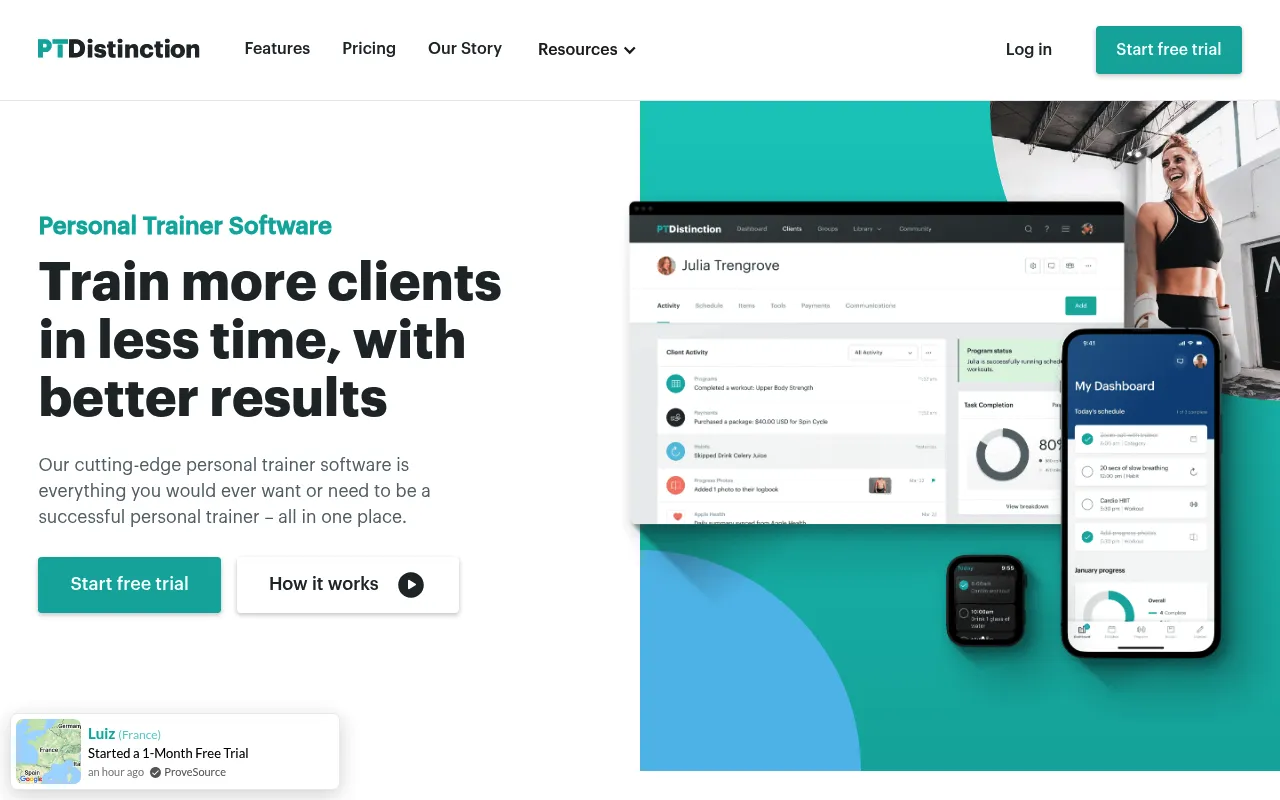
PT Distinction is a strong pick if you want your own branded app without paying studio prices. Basic starts at $19.90/month with 3 clients included, and the custom branded iOS and Android app comes with Pro at $59.90/month for 25 clients. Every plan includes nutrition coaching and an AI meal planner.
Screenshot captured April 2026.
PT Distinction is built for personal trainers who coach online. Training is its core: you program, assign, and track client workouts in one place. On the nutrition side, it offers nutrition coaching tools and a "Smart" AI meal planner on all plans, so it's no longer a training-only tool.
Pricing scales by client count. Basic is $19.90/month with 3 clients included and $6 per extra client. Pro is $59.90/month with 25 clients and the custom branded app. Master is $89.90/month with 50 clients. You get a 1-month free trial to test it.
The gap: The branded app isn't on Basic, so brand control really starts at $59.90. And meal plans come from an AI planner. If you'd rather hand clients plans built from dietitian-created recipes with macro math you can check line by line, a dedicated nutrition software tool is still worth comparing. Read our full PT Distinction review for more.
Best for: Online PTs with 10 to 25 clients who want a mature training platform and their own app at a fair price. A branded experience also helps with client retention, since your coaching feels like your own product.
Is Trainerize the Right PT Software for Large Coaching Rosters?
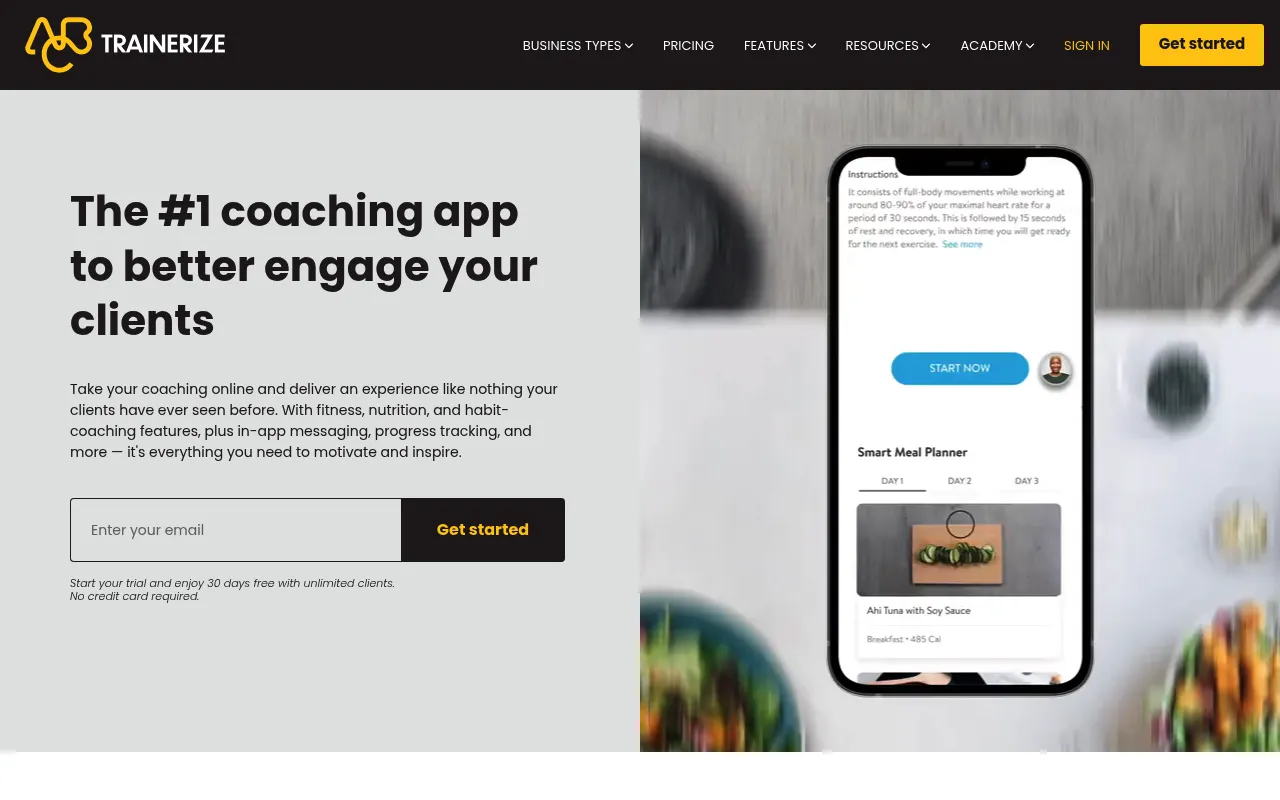
Trainerize is the most recognized name in PT software and the easiest to scale. It has a free plan for 1 client, Grow at $9/month for 2, and Pro from $23/month for 5 clients up to $135/month for 50, with higher tiers to 200. Nutrition covers meal and macro tracking, with deeper coaching sold as an add-on.
Screenshot captured April 2026.
Trainerize is used by gyms, studios, and solo trainers worldwide. It covers workout programming, client progress tracking, and messaging, plus meal and macro tracking on the nutrition side. Its client-count tiers make it easy to grow from a handful of clients to a full roster without switching tools.
Watch the extras. A custom branded app on Pro costs a one-time $169 setup fee, or it's included on Studio Plus at $248/month. The "Advanced Nutrition Coaching" add-on runs $20 to $45/month on top of your plan.
The gap: Nutrition beyond tracking costs extra, so your real monthly bill is higher than the headline price once you add it. If detailed meal plans with recipes and shopping lists are a core part of your offer, compare that add-on against dedicated meal planning software. See our Trainerize review for the full breakdown.
Best for: Trainers with a large or fast-growing roster who want a mature, widely known training platform. If nutrition is a secondary offer (tracking, not full meal plans), the base plan covers it.
Why Is TrueCoach the Simplest Personal Trainer Software for Solo Coaches?
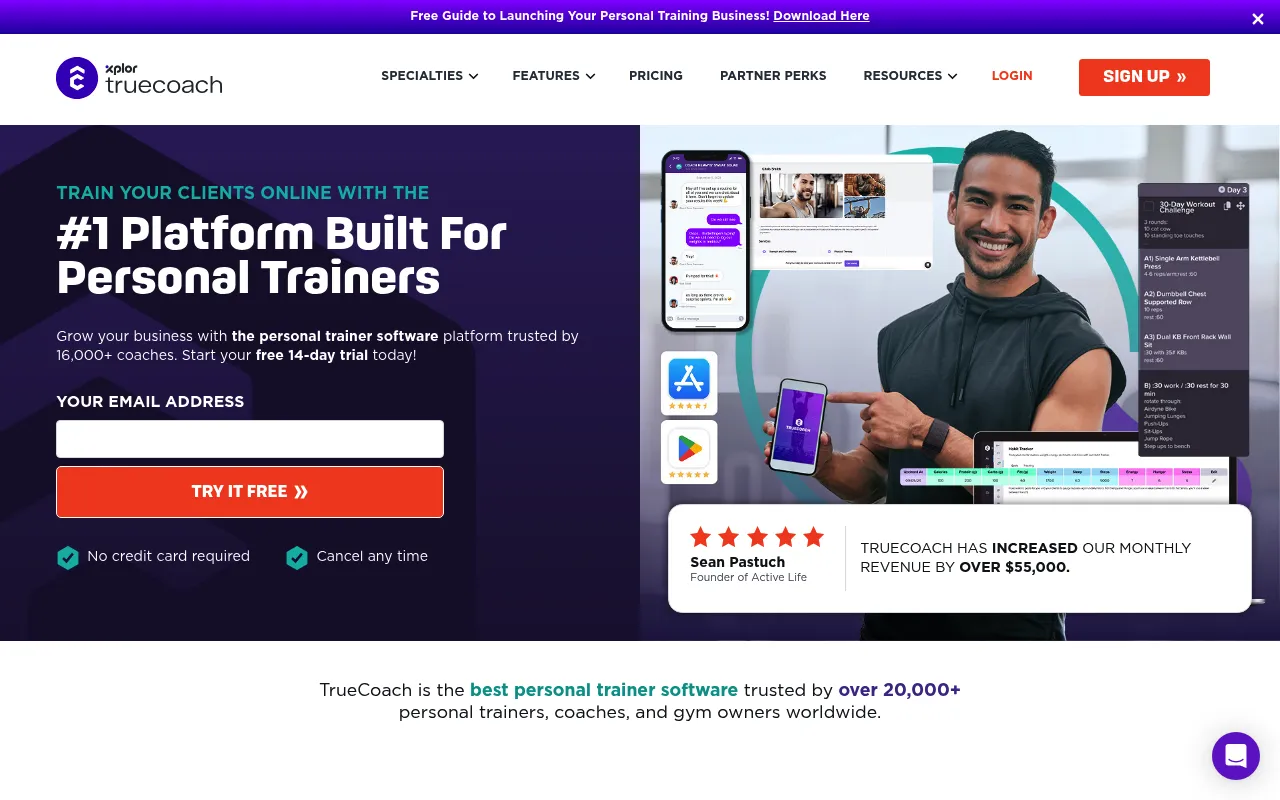
TrueCoach is a focused training platform with one of the cleanest interfaces in PT software. Starter is $26.34/month for 5 clients, Standard is $57.99/month for 20 clients with a custom branded app, and Pro is $136.99/month for 50. Nutrition is limited to tracking and a MyFitnessPal integration, with no meal plan generation.
Screenshot captured April 2026.
TrueCoach stays focused where others keep adding modules: build workouts, assign them, track compliance, and talk to clients. The learning curve is short, which is why many solo trainers start here. A 14-day free trial lets you test it with real clients.
The branded app arrives on Standard ($57.99/month, 20 clients), so you don't need the top tier to put your own name in front of clients. Nutrition support covers habit and nutrition tracking, plus a MyFitnessPal integration for food logging.
The gap: TrueCoach doesn't create meal plans. If you sell nutrition, you'll need a second tool for plans, recipes, and shopping lists. For trainers who only coach training, that focus is a plus, not a flaw. More detail in our TrueCoach review.
Best for: Solo PTs with under 20 clients who want a simple, mature training app. If you also deliver meal plans, pair it with Promealplan for the nutrition side.
Does Everfit Offer the Best Free Plan for New Personal Trainers?
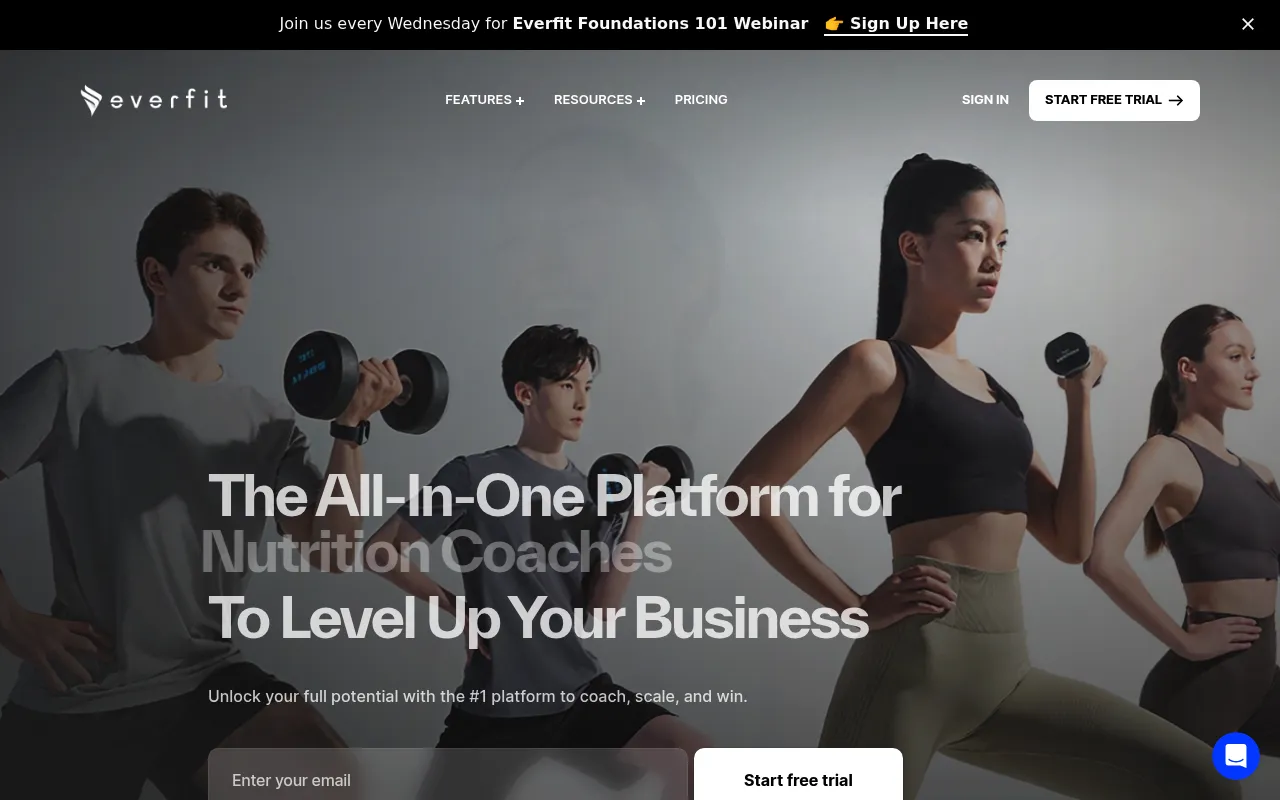
Everfit has one of the most generous free tiers in PT software: Starter covers up to 5 clients at $0, without custom branding. Pro starts around $19/month for 5 clients and scales past 300, adding custom branding, basic meal plans, and a food journal with macros. Best for new trainers testing online coaching.
Screenshot captured April 2026.
Everfit positions itself as an all-in-one for PT businesses, from workout programming and client tracking to messaging and nutrition. The free Starter plan makes it the lowest-risk way to try online coaching with your first clients.
As you grow, Pro (from around $19/month) adds custom branding and scales with your client count. Studio starts around $105/month, and Enterprise is custom priced with full white-label. For fuller nutrition, the "Meal Plans & Recipe Books" add-on costs $33 to $39/month and auto-generates personalized meal plans with custom recipes and client swaps.
The gap: Pro includes basic meal plans, but the fuller meal planning experience is a separate add-on, so budget for it if nutrition is central to your offer. Read our full Everfit review or see how it compares as an alternative for nutrition.
Best for: New PTs who want to test online coaching at no cost, or growing teams that want one training dashboard that scales to hundreds of clients.
Is Promealplan the Best Option for Coaches Who Sell Training and Nutrition?
Promealplan is the best fit when nutrition is central to your coaching and you want training in the same subscription. Meal plans are built from 1,000+ dietitian-created recipes with full macro targeting from Basic ($99/month). Training shipped in September 2026 as a free alpha on every plan, so it's newer than dedicated training apps.
What Training does today. You build multi-week Programs and single-day Workouts in a Training library, pulling from an exercise library. Sections support Regular (sets x reps), Interval, AMRAP, EMOM, and Circuit formats. Assign them from the client's Training tab, either on calendar dates or as a self-paced sequence ("Day 4 of 24"). Clients log reps and weight for each set in the Client App, once you turn on the Training tab under Client App > App Design > In-App Tabs.
The gap: Training is an alpha, so expect rough edges. Promealplan's library exercises don't have demo videos yet, only written instructions. You can attach your own YouTube or Vimeo links, and paid plans can upload hosted demo videos. PT Distinction, Trainerize, TrueCoach, and Everfit have years more training development behind them.
Where it's strongest. Promealplan started as meal planning software, and that's still the core. Set your client's targets and dietary needs, and the algorithm builds a plan from dietitian-created recipes. The calorie and macro math runs on a fixed algorithm, not AI. Every plan comes with a shopping list and a PDF, on every tier.
Training and nutrition in one subscription
Training is included at no extra cost on every plan, Free included. It isn't an add-on, so your price is set by how many meal plans you create each month.
1,000+ dietitian-created recipes
Plans are assembled from recipes created by dietitians, not generated by AI. Free and Lite target calories only. Basic and up target full macros (protein, carbs, and fat).
Your brand, from Basic
Free shows Promealplan branding. Lite ($49/month) removes it for a neutral look. Basic ($99/month) and up add full custom branding: your logo and name on PDFs and in the app, plus your portal colors. The Client App covers 3 clients on Free and unlimited clients on paid plans.
Best for: Coaches whose offer centers on nutrition and who want training and meal plans under one brand and one bill, and who are fine with a training module that's still early. If you depend on a large exercise video library, pair a mature training app with Promealplan for now.
Run training and nutrition from one place
Build programs and meal plans from 1,000+ dietitian-created recipes. Training is included free on every plan, now in alpha.
Create 3 free meal plans →How Much Does Personal Trainer Software Cost in 2026?
Entry plans run from free to $26.34/month, and top tiers reach $89.90 to $248/month depending on client count and branding. Headline prices hide the real bill, though: branded apps and meal planning often cost extra. Here is every tier we checked in October 2026, followed by the true cost of training plus nutrition.
| Platform | Free option | Starter | Pro / Growth | Top tier |
|---|---|---|---|---|
| PT Distinction | 1-month trial | $19.90/mo (3 clients, +$6 each extra) | $59.90/mo (25 clients, branded app) | $89.90/mo (50 clients) |
| Trainerize | Yes (1 client) | $9/mo Grow (2 clients) | $23 to $135/mo (5 to 50 clients) | $248/mo Studio Plus (branded app) |
| TrueCoach | 14-day trial | $26.34/mo (5 clients) | $57.99/mo (20 clients, branded app) | $136.99/mo (50 clients) |
| Everfit | Yes (5 clients) | Pro from ~$19/mo (5 clients) | Studio from ~$105/mo | Enterprise (custom, white-label) |
| Promealplan | Yes (3 plans total) | $49/mo Lite (5 plans/mo) | $99/mo Basic (20 plans/mo, full branding) | $149/mo Pro (50 plans/mo) |
Prices checked October 2026, in USD per month. Promealplan includes Training free (alpha) on every plan. Check each platform's pricing page for current rates.
What does training plus nutrition really cost?
If you sell both training and meal plans, compare the bill after add-ons, not the headline price. Here is what each setup costs per month for a small roster of about 5 clients, using only list prices.
| Setup | Monthly cost | What's included |
|---|---|---|
| Trainerize Pro + Advanced Nutrition Coaching | $43 to $68/mo | Mature training. Branded app adds a one-time $169 setup fee. |
| Everfit Pro + Meal Plans & Recipe Books | ~$52 to $58/mo | Mature training, custom branding, auto-generated meal plans. |
| PT Distinction Pro | $59.90/mo | Mature training, branded app, AI meal planner, 25 clients. |
| Promealplan Basic | $99/mo | Training (alpha), 20 dietitian-recipe meal plans/mo with full macros, full branding, unlimited Client App clients. |
Promealplan isn't the cheapest line here. You pay for nutrition depth: dietitian-created recipes, full macro targeting, and your own branding, with training thrown in. If you mainly need training and light nutrition, the add-on setups above cost less. Want to turn plans into revenue? See how to price meal plans online.
Prices checked October 2026. Add-on ranges reflect each vendor's published range. Promealplan's annual plans cost 10x the monthly price.
Which Personal Trainer Software Is Right for Your Coaching Business?
The right pick depends on three things: how central nutrition is to your offer, how much you rely on mature training features, and how much brand control you want. Nutrition-led coaches can now run on Promealplan alone. Training-led coaches are better served by a mature training app, paired with Promealplan if they sell meal plans.
Just starting out (under 5 clients)
Pick: Everfit Starter (free, 5 clients) for training, or Promealplan Free if nutrition is your hook. Promealplan Free gives you 3 meal plans in total (calorie-based) plus the Training alpha, enough to test your offer before you pay anything.
Nutrition is central to your coaching
Pick: Promealplan Basic ($99/mo) on its own. You get full macro meal plans, full branding, and Training included at no extra cost. Choose this if you're comfortable with an alpha training module. This setup lets you sell meal plans and programs under one brand.
You need mature training features (video library and more)
Pick: TrueCoach, Trainerize, or PT Distinction for training, plus Promealplan Lite ($49/mo) or Basic ($99/mo) for meal plans. Pairing is still the right call when exercise demo videos and years of training polish matter more than one bill.
Large roster (50+ clients, maybe a team)
Pick: Trainerize (tiers up to 200 clients) or Everfit Pro (scales past 300). Add Promealplan Pro ($149/mo, 50 plans) or Scale ($399/mo, unlimited) if you deliver meal plans at volume. Our nutrition coaching guide covers scaling nutrition services.
Brand-obsessed (want your own app)
Pick: PT Distinction Pro ($59.90/mo) or TrueCoach Standard ($57.99/mo), both with a custom branded app. Trainerize works too with a $169 setup fee on Pro. For branded nutrition, Promealplan Basic puts your logo and name on every PDF and in the app.
Budget-conscious (minimize cost)
Pick: Everfit Starter + Promealplan Free. Zero monthly cost for up to 5 training clients plus 3 meal plans to start. Upgrade either tool on its own as you grow.
What Other Tools Do Personal Trainers Need Beyond Training Software?
Beyond training and nutrition software, personal trainers need four supporting tools: Zoom for video calls (free), Calendly for scheduling (free), Stripe for payments (2.9% per transaction with no monthly fee), and Canva for social content (free or $13/month). All four offer functional free tiers, so the full supporting stack costs $0 until you outgrow it. Here is the breakdown.
| Need | Tool | Cost | Why it works |
|---|---|---|---|
| Video calls | Zoom | Free (40 min) | Clients already know it. Recording for form reviews. |
| Scheduling | Calendly | Free (1 event type) | Eliminates booking back-and-forth. Auto reminders. |
| Payments | Stripe | 2.9% + 30¢/tx | Recurring subs, payment links. No monthly fee. |
| Content | Canva | Free (or $13/mo) | Social templates, brand kit, content scheduler. |
What Other Coaching Software Guides Should You Read Next?
If you've picked your platform and want to go deeper on nutrition delivery, retention, or pricing, these five guides cover the next steps. Each one stands alone, so you can jump to whichever question matches your current bottleneck.
What Are the Most Common Questions About Personal Trainer Software?
Coaches researching PT software usually ask about all-in-one options, cost, beginner-friendly picks, branding, and which tool wins overall. Here are direct answers to the six questions we hear most often, each based on the October 2026 pricing and features of the platforms reviewed above.
Is there an all-in-one platform for training and nutrition?
How much does personal trainer software cost per month in 2026?
Which personal trainer software is best for beginners with under 10 clients?
Do personal trainers need separate software for training and nutrition?
Can personal trainers white-label coaching software under their own brand?
What is the best personal trainer software in 2026?
How Do You Deliver Training and Nutrition Under One Brand?
You have two routes. Run everything in Promealplan, where meal plans and the free Training alpha share one subscription and your branding from Basic. Or pair a mature training app like PT Distinction, Trainerize, TrueCoach, or Everfit with Promealplan for meal plans. Either way, clients get programs and personalized nutrition from you.
Build programs and meal plans in one place
1,000+ dietitian-created recipes. Training included free on every plan (alpha). Your branding on PDFs and the Client App from Basic. Free plan available.
Create 3 free meal plans →